Blog

  • Postcards from Microsoft Ignite 2017, part 2

    Postcards from Microsoft Ignite 2017, part 2

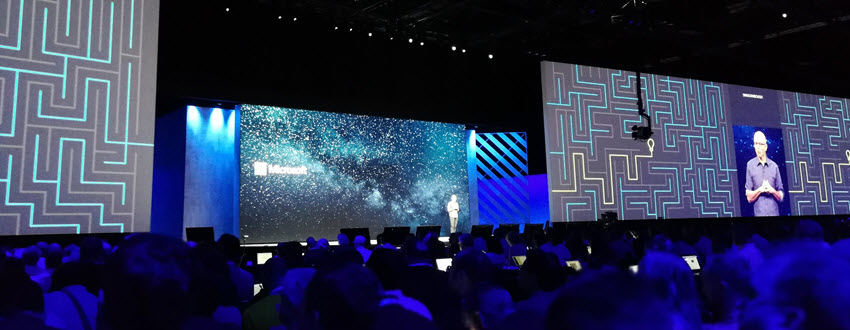
    Back to Florida again – at least on a mental level. In part 1 of my Microsoft Ignite conference diary I described the overall setting of Dynamics 365 in the context of the Business Applications story. This time let’s have a look at some of the details on what the XRM platform can do now and in the near future. The live tweet content can be found from my #MSIgnite Storified collection part 2, but here’s the story behind those social posts.

    The GA (general availability) target of Dynamics 365 Customer Engagement V9 was set to the week after Ignite. This was indeed the case, as I didn’t even have a chance to arrive back home from Ignite before I had my first V9 trial instance running the in the cloud. People who had participated in the Dynamics 365 Insider program were already granted access to the preview instances of this major release but now each and every new trial is provisioned with the V9 bits. A few days later there also was an official blog post that announced the availability of “Dynamics 365 October service update”. The naming of course is a bit confusing, since up until this point Microsoft had stuck to the “July 2017 Update” name – and that’s what still shows up in the D365 Admin Center UI. Don’t you agree that life would be much simpler if we’d all just use the version numbers instead of marketing names? Oh, and if we had the KB article already available for the 9.0.0.1103 GA build, that would be even sweeter.

    After the initial Preview Executive Briefing sessions for V9 that were conducted before the summer holiday season, Ignite was the place where the next big presentation on Unified Interface took place (at least to my knowledge). Oren Ryngler and Linda Simovic took us through a detailed demo of all the UX goodies that V9 has to offer. Unfortunately the slide deck is not available for download even for Ignite attendees, but you can view the full recording of the presentation on YouTube. I bet that even if you participated in the preview program, you’d be hard pressed to recall all the wonderful details packed into the Unified Interface. Principles like “Gradual exposure to complexity”, AI capabilities like Grid Recommendations or the new chart types are something you can expect to discover in the video.

    There was another excellent session where Linda discussed what the underlying motivations behind the Unified Interface initiative (or “Unified Client Infrastructure” / UCI) were. Even more interesting was the quick peak at the Custom Control Framework (CCF) that is a significant benefit unlocked by UCI. Described as “extensibility framework for building UI components that visualize data”, we’ve already heard that Microsoft has been busy rebuilding everything in the default app UI as Custom Controls (“but if it’s default then how can it be custom?” Ah, never mind the semantics…). What we don’t yet have is a definitive date for when the APIs for building true Custom Controls will be opened up to customers and partners. What’s REALLY interesting is that the product team’s roadmap includes a “Control Gallery” marketplace for viewing and purchasing these as solutions. If it all works out, then the Unified Interface in V9 is just the start of the true transformation of XRM UI into something more than fields and grids on an entity form.

    While the UI story is always going to get far more social media coverage due to fancy screenshots from the visible application, there’s a lot more bubbling under in V9 than just the promise of a Custom Control Framework. Matt Barbour presented the Microsoft Dynamics 365 CE Platform Update for Developers, delivering a concise “what you need to know” package for people working with XRM solutions or API based extensions. Now that everything in the OoB apps has been separated from “system” into actual solutions, managing the dependencies via solution segmentation is actually a big deal. Why it’s even a bigger thing from application maintenance perspective is that the next V10 major version will ONLY accept V9+ solutions – so start getting used to them right away. In addition to the earlier announced V9 platform enhancements of Virtual Entities and Multi-Select Option Sets, we also received a “one more thing” with Auto Number fields! Thousands of custom numbering solutions can finally be put to rest, at least after you install the Auto Number Manager for XrmToolBox to access the configuration options for this new native field type.

    There were several shorter sessions in the Expo area of Ignite that offered practical tips for how to do more with less when it comes to Dynamics 365 Customer Engagement. While I remain firmly in the no-code territory myself, the PowerShell scripting capabilities available in the new Online Management API or the more familiar Microsoft.Xrm.Data.PowerShell module demonstrated by Shwan Dieken and Sean McNellis from the PFE team open up automation capabilities even I can easily relate to. Don’t forget to check out this huge link list put together by Shawn & Sean for the latest admin tips & tricks you need to be aware of. Over on the MVP powered sessions of Ignite, George Doubinski also showed a wealth of automation tips to reduce manual labor for Dynamics pros. What I bet you didn’t know how easy the integration of Dynamics 365 Customer Engagement with a WordPress website can be, thanks to the plugin developed by George & Co at AlexaCRM.

    Like I wrote on the back of my first Ignite postcard, the Business Applications story that Microsoft wants to tell us consists of a lot more than just Dynamics 365 these days. While it’s been all too easy to disregard the earlier sales pitch for PowerApps and Flow as just a citizen developer fable that doesn’t apply when working on Real Projects, they are gradually gaining the types of ALM capabilities that put them higher up on the list of tools to consider for solving customers’ business problems. While there were some disappointments, like the continuing non-story of Adobe Marketing Cloud + Dynamics 365, you could easily find yourself thinking “hmm, that’s actually pretty cool” while watching the demos for this “Power platform” of non-XRM business tools. Even though CDS still largely is “a box to connect other boxes on a PowerPoint”, the added features like embedded PowerQuery and the accompanying new data sources give us a sign that progress is being made.

    As always, the big questions is about when’s the right time to jump in to the new technology if you want to deliver successful customer projects with it. Events like Microsoft Ignite are great for calibrating your own perceptions and expectations, not just via the official product demos but also the community response to them. I know I walked away from the conference with a far better understanding of what Microsoft is pursuing with their latest product development investments – even though I’ll need to review a bunch of the session recordings to actually grasp the finer details of each individual technology.

  • Postcards from Microsoft Ignite 2017, part 1

    Postcards from Microsoft Ignite 2017, part 1

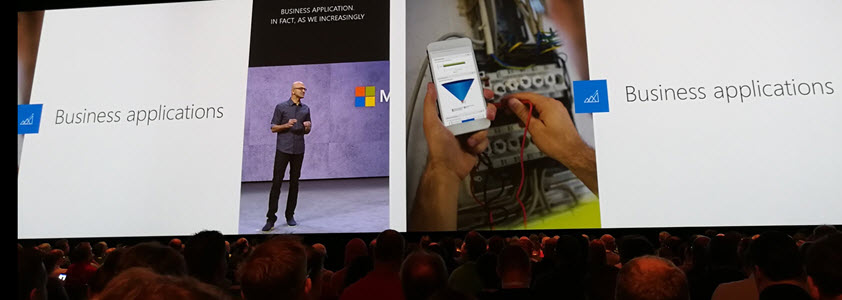
    Greetings from the Sunshine State! This Fall I was fortunate enough to have chance to attend my first ever Microsoft Ignite conference in Orlando, Florida. Staying true to my habits, I did tweet out quite a lot of content from the live event with #MSIgnite hashtag. If you missed that stream, feel free to revisit the collection over at Storify, where I curated a story called “#MSIgnite 2017: Business Applications”. (Unlike with the V9 preview, I’ve decided to refrain from embedding the infinite scroll version of the story into this blog post. You’re welcome!) Here’s a little written summary on my thoughts about the event’s contents.

    If you’ve been to or kept an eye on Microsoft Ignite before, you’ll know that it’s an event that has traditionally catered the more mainstream product lines like Office 365 and Windows. I did not expect any major announcements from the Dynamics 365 team at Ignite, so my intention was to explore the broader story around MS Business Applications. Most of us who are working in cloud environments with Dynamics products must be well aware of how much there is going on around the core XRM platform (still the best name for it), but rarely do we have a chance to focus on something that isn’t directly linked with the sales/service/marketing processes of CRM system development projects.

    That’s a bit of a shame, since at the end of the day that’s precisely where Microsoft’s big competitive advantage lies. The whole really is greater than the sum of its parts in this occasion, and if the size of the Ignite conference would be used as the yardstick, I’d say the whole is actually HUGE. Sure, it wasn’t anywhere near Dreamforce in terms of the attendee count, but if you’re not looking for a rock festival to hang out with your business partners but rather want to deepen your understanding of the current and future capabilities of a cloud technology platform, it doesn’t need to get any larger than this. I reached my 10k step target each day just walking between the sessions, which tells you the Orange County Conference Center floor space was truly put into full use in trying to fit in the complete MS business technology stack. You sometimes literally had to take a shuttle bus from one side of the conference to the other to make it to the sessions in time!

    The biggest piece of news for D365 was already from the earlier week’s Directions North America 2017 event, where Microsoft admitted that after 1 year of waiting, there was not going to be a Business Edition release of the XRM based apps at all. Or even for the ERP side of the house – at least from a product naming perspective. While none of the technology investments made in preparation of Business Edition was actually cancelled, it’s understandable that this caused a lot of stir among the Dynamics ecosystem. Without going deeper into the topic, I believe MS made the right choice and it’s only a shame it took them so long after the initial Dynamics 365 rebranding announcement to find the right path forward. While we wait for the new licensing model details, we still remain in a product naming limbo that was also very much present in any Dynamics related session at Ignite. You must remember that what we’re experiencing in the XRM space ain’t nowhere near the amount of confusion that our ERP colleagues must go through. Godspeed, Dynamics X!

    Of course the story is no longer just centered around what to call your CRM & ERP platforms. In practically all the Ignite sessions that touched my field of work, the solutions being demonstrated were always mashups of several MS technologies. Clearly the intention was to underline the possibilities of seamless integration between the latest cloud apps from almost any two product teams. Yeah, I hate the word buzzword “seamless” as much as any experienced IT consultant does, but my point is that it seems like the phase of inventing new MS cloud products has reached an end and now the focus is truly on ensuring they can connect with one another. This also means challenging the assumptions of what the role of each product is in the customer’s solution architecture. Instead of using XRM as the UI for business data presentation, could a better result be reached via a Power BI dashboard that has embedded Visio process visualization and PowerApps screens with record level drill-down? Possibly yes, and these alternatives are what MS wants us to actively explore.

    The floor space given to PowerApps at Ignite 2017 made it the clear headline product in the Business Applications track. Maybe it was just my session schedule planning, but it felt like all roads eventually lead to PowerApps. It’s of course a very neat way to demonstrate the benefits of having your business data in systems that are easily accessible by these low-code/no-code apps. What was somewhat confusing to hear, though, was that the current “UI first” approach of designing PowerApps on a free canvas was promised to get a new model-driven app design option alongside it. You know, with entity based forms, server-side business logic and even Business Process Flows. “But wait, weren’t those the defining characteristics of an XRM app?” Bingo. It literally was a set of Dynamics CRM customization UI screenshots snatched into a PowerApps roadmap presentation. These two paths are converging quickly now and you’re going to want to keep an eye on what the next chapter in the Business Applications has in store for us.

    I’ll need to go lie down in a brief coma now to recover from the jetlag caused by a Miami-Helsinki flight (cheers to Finnair for offering the direct connection, though!). I promise make a return with part 2 in a few days time, as there is a lot more souvenir sweets to digest from Microsoft Ignite 2017.

  • Microsoft Flow and Dynamics 365 – My Slides from CRM Saturday Oslo

    Microsoft Flow and Dynamics 365 – My Slides from CRM Saturday Oslo

    Watch out: the Citizen Developers are coming! They are armed with easy to approach GUI tools like Flow, PowerApps and PowerBI, and they aren’t afraid to connect to any of the 160+ cloud apps that you may or may not know your organization is using to solve everyday business problems that the traditional IT projects have failed to serve.

    This is the common story you hear when Microsoft talks about this new generation Business Platform and how it powers the hottest of the hot buzzwords: digital transformation. While it certainly represents a big shift in the capability to deliver new business apps, there is at least an equally significant impact these tools can have to the more centralized efforts of building organization wide solutions for managing business processes and data – meaning CRM system deployment and development. With this in mind, I set out to explore the current state of Microsoft Flow in regards to how it can be used together with Dynamics 365 Customer Engagement. The results of this study and some of my personal thoughts on how Flow changes the way we deliver CRM projects can be found in the following presentation:

    In these slides you’ll find information about topics such as:

    • How does Flow relate to other MS technologies like Common Data Service (CDS)
    • What traditional CRM process automation scenarios could Flow be leveraged in
    • Is the new Dynamics 365 V9 capability of embedded Flows the replacement to now deprecated Dialogs
    • Why Dynamics workflows are still easier to work with than Flows
    • What licensing and administration considerations do you need to keep in mind with Flow
    • Microsoft Flow vs. Azure Logic Apps, what should you use where

    The actual presentation took place last weekend in Oslo, Norway, where I was invited to speak at the CRM Saturday event. It was the first such event that I had the opportunity to participate in and found it to an awesome experience! I had a great time meeting both the local Dynamics 365 community members as well as spending time with the very knowledgeable speakers and fellow MVPs. A big thanks to Microsoft Norway for graciously hosting us and to the community hero Marius Agur Pedersen for making the event possible in the first place!

    If you aren’t yet familiar with the CRM Saturday concept, I suggest you go check it out and keep an eye for future events where Dynamics 365 community members can get together and exchange ideas on how to make the world a better place for CRM professionals and customers alike. Do also keep an eye on the #CRMSaturday hashtag on Twitter for the latest buzz around the events and information shared from the presentations. At least Mohamed Mostafa and Jonas Rapp have also made their sessions’ slide decks available and I’m sure there’s plenty of other blog posts out there that have been inspired by these events.

  • XRM Rebooted with Dynamics 365 Embedded?

    XRM Rebooted with Dynamics 365 Embedded?

    The next major release of Microsoft Dynamics 365 Customer Engagement, the July 2017 Update, has been called “the biggest release to date” by the product team. If you look at the number of features that a single release now touches, with the product offering being further divided into Enterprise Edition and Business Edition, the number of work streams sure is massive. It’s amazing to think how much wider the scope of Dynamics 365 is today compared to “just” five years ago when it was still Dynamics CRM and the primary target seemed to be making the traditional sales-service-marketing CRM package to work with modern browsers (non-IE), devices (mobile) and infrastructure (cloud). Here’s the roadmap presented in WPC 2012:

    Times change and even the Worldwide Partner Conference has evolved into Microsoft Inspire now – which I think is far too close to Microsoft Ignite as a name, since I’ve found myself mixing #MSInspire with #MSIgnite all the time. Anyway, this annual MS partner conference launched on July 10th with a keynote led by Satya Nadella. The recording of this is naturally already available, but you could also check out my Storify collection of the most interesting tweets from the event:

    One of the announcements that didn’t get much space on the big stage but certainly has big potential implications for the Dynamics ecosystem was the announcement of a new ISV Cloud Embed program for partners. With a reference to their earlier success with offering Azure IaaS and PaaS services as the foundation for ISV applications, Microsoft now states that it will offer also higher level services available as building blocks for ISV apps. The list shown below includes “Dynamics 365 Embedded”.

    Yes, it shows a number of other embeddable products too, like PowerApps and Flow, but c’mon – those are newcomers to the Microsoft product portfolio. Dynamics as in CRM and later Customer Engagement has been around for a decade and a half now! One does not simply rip the CRM roots out of the platform (assuming that it even is the CRM part and not AX/NAV) and then use the remaining parts as a building block for an ISV app. Except that it might just be happening soon.

    This is not a brand new concept of course. Since I have a tendency of documenting the platform evolution of Dynamics CRM/XRM/365/CE/etc. onto my blog posts, all I have to do is search and reference my earlier writings these days. Back in 2010 when Office 365 was launched, I posted the first reference to the concept of “Dynamics CRM Services”. This is turned out to be pure slideware in the end, as the early illustrations of what the high level Azure services architecture was planned to be never quite materialized in that format. Read this post from Simon Hutson for a great overview of the buzz and confusion around CRM Services.

    The statement in 2008 was:

    “In the future, developers will have access to SharePoint & CRM functionality for collaboration and building stronger customer relationships. With the flexibility to use familiar developer tools like Visual Studio, developers will be able to rapidly build applications that utilize SharePoint and CRM capabilities as developer services for their own applications. Developers can expect a breadth of SharePoint & CRM capabilities across the spectrum of on-premises, online & the Azure Services Platform.”

    With this week’s statement on Dynamics 365 Embedded, could the “future” referenced in the original text actually arrive ten years later? We don’t know for sure yet, but there are a lot of signs pointing towards that direction. If you followed the V9 Preview Executive Briefing or skimmed through my collected tweets from it, then you might already be aware of the concept of App/Plat Separation that’s taking place right this very moment. The earlier built-in application functionality of sales, marketing and services that you always got preinstalled with a CRM instance are now being moved into solutions like the newer Field Service etc. already are. Not only that, but also the built-in ASPX controls for data presentation components like grids and dialogs are now being rewritten with the new Custom Control Framework.

    And what about Azure? Well, it’s everywhere you look now with the new features built for Dynamics 365. Then there’s also… something that will become more clear as the GA of V9 approaches. With all of this technical architecture being lined up for the next generation XRM, it looks like the only thing missing really is a commercial model for selling Dynamics 365 without the CRM. Now that we have the ISV Cloud Embed program announced at Inspire 2017, I would say the time has come to give the people what they want:

    That Twitter poll ain’t open anymore, but please feel free to place your bets in the comments section of this post! What might the Embedded future of Dynamics 365 be and what still needs to happen in your opinion?

  • The Long Road to Unified Interface in Dynamics 365

    The Long Road to Unified Interface in Dynamics 365

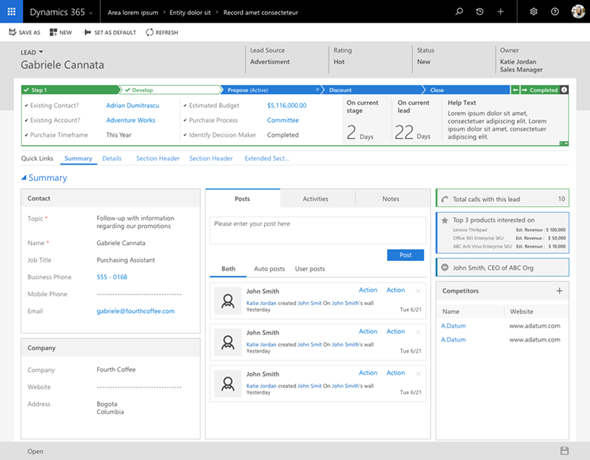
    On June 20th Microsoft started taking the cover off its next major release of Dynamics 365 Customer Engagement (formerly known as CRM): v9.0. The biggest announcements in the first day of the Dynamics 365 Preview Executive Briefing were around the client story. With the new Unified Interface (sometimes also referred to as “UCI” for Unified Client Interface/Infrastructure) the plan is to bring a single client technology to cover all the different UI’s across devices. Web, Outlook, Mobile, Tablet.

    This is very exciting news, but there’s a lot of details and footnotes that people in the Dynamics ecosystem need to be aware of. Let’s dive right in!

    The Client Fragmentation of Dynamics CRM

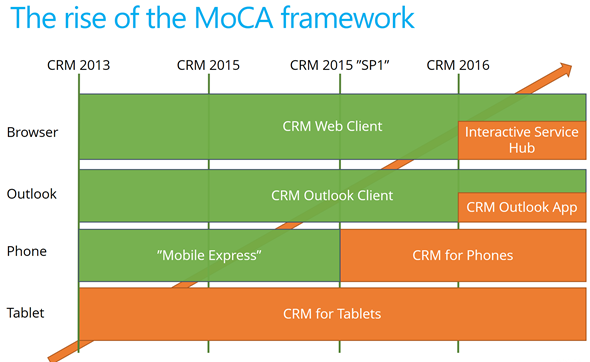
    Most of you will have probably been around when the previous big UX refresh took place with CRM 2013. We then received the MoCA Framework based tablet app with Windows 8 style tile UI and later saw this framework being used in many other places. We even received a brand new client to be used on the (desktop) web, the Interactive Service Hub (ISH). In fact, one year ago it almost looked like MoCA would be eating the world:

    The only problem with this strategy seemed to be that all of these individual parts never formed a sensible whole. Instead, there were so many “seams” visible everywhere you looked in the Dynamics CRM client landscape that many times you just wanted to keep your focus on the traditional web client and wait for things to clear up in these newer areas of the platform. A few examples:

    • Knowledge Articles were introduced only on ISH, but at the same time ISH was too limited/buggy to be used in most of the existing customer service scenarios with customizations in place.
    • Visual Controls were introduced in the phone and tablet, but the main web app forms just kept getting more and more white with nothing but text fields.
    • Dashboards with filters were made available on ISH, but much of the entities (i.e. sales) that typically are analyzed with dashboards were not allowed on the ISH side.

    MoCA was born for the mobile first era of touch UI and understandably it didn’t have all of the traditional capabilities from the web client. However, there were plenty of gaps that didn’t make it ideal for mobile use either. One of the biggest issues I had with MoCA was the “configure once, deploy everywhere” principle, which tried to force the same full CRM configuration onto the mobile device screens. MoCA brought the CRM into your pocket, but most of the time what a user would need in their pocket is a simplified app focused on a limited set of tasks. The limitations with MoCA meant that Microsoft had to rely on a Resco based client for their Field Service app in which the use cases are primarily mobile only.

    This Time It’s Different

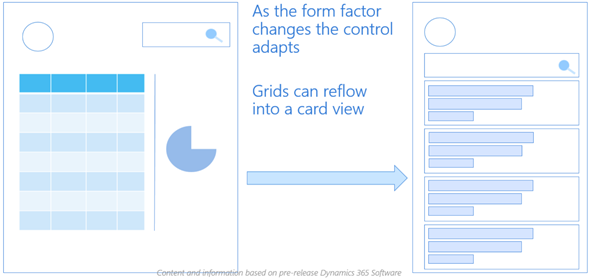
    The promise of Unified Interface is that the era of web vs. mobile is over and now we’ll see a UI that’ll both adapt to the device or screen in use, as well as offer the same customization options in each of them. Content will be presented in a way that will reflow into different states of the control as the space available to it changes.

    Unlike with MoCA, this time there can be multiple different apps also accessed on a mobile device. Also web-only features like form switching are now available on all devices which makes it far less challenging for the system customizer to design a solution when all the exceptions and limitations of specific client types are (in theory) no longer in the way. It’s important to set the expectations on a realistic level, though, since I’m quite sure we’ll need to make some more compromises on the web side of the house with this new Unified Interface, but hopefully it’ll be a price worth paying for true mobility of Dynamics 365 business apps.

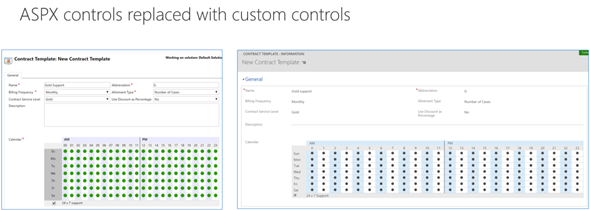
    For an even more customized experience, the Custom Control Framework that has been gradually introduced as part of the application (like the Editable Grid, for example) is going to introduce a design surface for developers to extend Dynamics 365 Customer Engagement apps in exciting new ways. Not only that, the existing ASPX based UI controls that have been in the core CRM application since forever are now also being transformed into Custom Controls. This is a part of the larger application/platform separation initiative that’s a whole topic of its own. On a high level, the developers should soon have access to basically the same tools for building new UI controls as what Microsoft is using to build their business apps.

    All of this should help in removing many of the gaps that have currently stopped the rolling out of the individual application features in earlier releases for real life business scenarios. There are plenty of promises that MS is making on performance improvements of this new client technology, too. That’s an important aspect to keep in mind and realistically evaluate as the Unified Interface becomes available, since all of the eye candy in the world won’t be of much value if the actual user experience of working with the application isn’t meeting the ever growing expectations of fluid interaction with the data stored in and managed via Dynamics 365.

    Are We There Yet?

    So, all of this looks great – now can we have it by tomorrow, please? The short answer is “no” and the expanded one is “it depends”. As mentioned in my earlier blog post, much of the new features in Dynamics 365 will now be rolled out via Private Previews and Preview programs before general availability. Hopping on to the preview train will shorten the time it takes for gaining hands on experience with the new UI. However, there’s more to it.

    Earlier I mentioned the previous UI refresh of CRM 2013 release (“Orion”), but some of you might still remember the intermediate release of “Polaris” (whereas the official name December 2012 Service Update isn’t something even I remembered anymore). That was perhaps the first Online-only release that Microsoft developed, with a target of not even trying to upgrade all of the application features into the new UI concept but instead just a selected few entities (“COLAC”) received the refreshed forms and Business Process Flow. You could build a simple CRM demo for a new customer with it, but trying to upgrade existing systems into Polaris or building anything with more customization requirements was a no-no. They had to wait until the full CRM 2013 release became available.

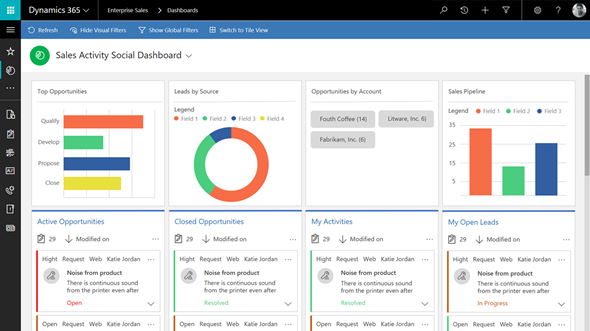
    The reason I’m bringing up this is that initially the Unified Interface is likely to be a bit like Polaris. It’s going to be made available only to brand new instances with the Business Edition licensing, or for new Apps that are either built by Microsoft (Customer Service Hub, a.k.a. ISH v2) or by the customer. It will also be available on the Phone and Tablet apps as well as in the lightweight Dynamics 365 App for Outlook (which officially replaces Outlook Client that’s now deprecated). Everywhere else, though, it’s not going to be the time for Unified Interface yet, but instead a refresh of the web client that’ll look something like this:

    Starting to get confused? I don’t blame you! There’s a hint of irony in the fact that the “Unified” Interface will initially be yet another interface variation for the Dynamics 365 application. I’m sure it’s not the way Microsoft would prefer to have these things introduced but reality is usually a bit more messy than PowerPoint presentations. The new client technology simply represents such a major shift in how Dynamics 365 works that upgrading all the complex customizations of existing Enterprise customers into it in one go would not be a smart move. Remember that “everyone’s an enterprise customer” until the Business Edition finally is out the door.

    To truly understand the client strategy that Microsoft is pursuing, you simply have to look at the Business Edition now, regardless of your deployment’s size. It is the dreamy wonderland in which MS can cut back on unnecessary complexity of application features and not worry about breaking any existing deployments, since there is hardly any legacy there. A fresh start that doesn’t need to carry all of the overlapping functionality (like Contracts vs. Entitlements) or provide all the admin options necessary for hybrid environments. It’s not all pure bliss in the sense that all of this will eventually have to live in harmony with the more complex custom UI’s and business logic of big corporations with “non-simplified” CRM systems running on the Dynamics platform. Still, right now we’re seeing a move from “cloud first” to “Business Edition first” when it comes to client innovation.

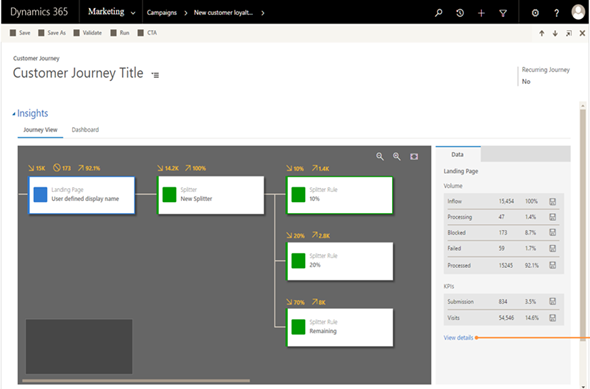
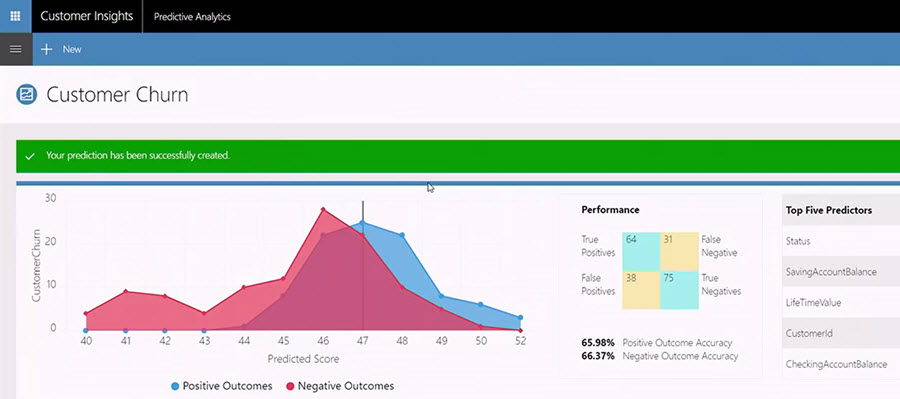
    Just because the Business Edition is targeting the lower end of the product licensing fees doesn’t mean you should dismiss the functionality that is being introduced in it. If the Sales app mainly streamlines many of the unnecessary complexities of current opportunity management in Dynamics 365 Enterprise, then the Marketing app will bring advanced logic like Customer Journey management that many existing larger customers would surely love to get their hands on. Unified Interface is the big story here that’s driving the release policy. I suspect that it’s the primary reason why the new XRM based Marketing app is only available for Business Edition customers initially, since features like integration with Customer Insights based segmentation and scoring mechanisms are not a feature anyone would build solely with the SMB segment in mind.

    It will all make sense in the end (hopefully), but in the near future both the customers as well as Microsoft will have some work ahead of them before the new promised land of Unification is reached. This is of course not all that different from what other business application platforms with a long market presence must go through every once in a while. Some may claim that Microsoft is following the Salesforce Lightning UI concept here with their Unified Interface and the similarities are surely there to be found. In fact, what I wrote about this the last time when Salesforce was following Microsoft’s lead is still pretty relevant when it comes to user experience evolution, so why not revisit that blog post for some perspective: The Irresistible Force of Great User Experience in CRM Applications.

  • All You Need to Know About Dynamics 365 v9.0 (For Now)

    All You Need to Know About Dynamics 365 v9.0 (For Now)

    The truth is out there. “There” meaning the social networks in this case. Unlike with previous beta programs (TAP’s or whatever they used to be called), the July 2017 release of Microsoft Dynamics 365 Customer Engagement (in short, “CRM”) was announced to the world in a three day event called Preview Executive Briefing that didn’t come with any NDA ties. As a result, the content from the live stream of these 37 sessions presented to us by the product team PM’s was free to be tweeted out into the world.

    That’s exactly what happened then. Community members like #CCOGNETTABOT didn’t settle for only capturing screenshots from the sessions into their own OneNotes but also shared it with the world under the #MSDyn365 hashtag. As the amount of information was approaching Big Data, I in turn tried my best to capture the most relevant pieces of the social stream and compile it into Storify. Not only did we end up getting a “best of” from the slides and live demos, also the most interesting Q&A responses from the product team were recorded here.

    Below is a link to each individual Storify collection, as well as the embedded story for a preview (ha!) of the content included there (if you’re viewing this on survivingcrm.com and not Dynamics Community).

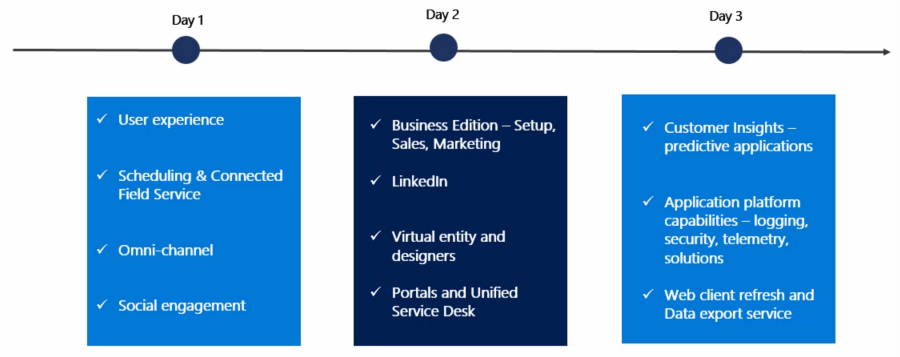
    Day 1, 2017-06-20

    Topics included Unified Interface (earlier names “Unified Client” or UCI), mobile, field service, Unified Resource Scheduling (URS), CafeX, Social Engagement (MSE).

    Storify: Microsoft Dynamics 365 July 2017 Release Preview, Part 1


    Day 2, 2017-06-21

    Business Edition for sales & marketing (i.e. differences compared to Enterprise Edition), event management, LinkedIn, portals, USD, App Modules, Virtual Entity.

    Storify: Microsoft Dynamics 365 July 2017 Release Preview, Part 2

    Day 3, 2017-06-22

    Customer Insights, Organization Insights, Relationship Insights (notice a pattern here?), business process automation (BPF, MS Flow), multi-select option sets, security and compliance, Web UI refresh (for Enterprise Edition), Application/Platform separation (“solutionizing CRM”), Power BI, Data Export Service (DES), Common Data Service (CDS).

    Storify: Microsoft Dynamics 365 July 2017 Release Preview, Part 3

    What’s Next?

    This v9.0 is a major release, not just by the version number but by the sheer amount changes happening in the platform, the client, the apps and the services connected to Dynamics 365. Most of this will NOT arrive in July, instead it’ll be rolled out via Private Preview and Preview programs towards the eventual GA. I believe it’s definitely the right thing to do, seeing the number of moving parts involved here. Also, the investments made to the platform are specifically designed to make it more modular and less of a monolith that you have to upgrade in one big bang. Oh, and v9.0 is online only, with on-prem updates coming for the applicable areas after these things are tested in the cloud.

    You can still sign up for the preview program here. In fact, if any of this Dynamics 365 stuff is of interest, you MUST sign up, or risk being left seriously behind. After three long nights of watching the non-stop live stream from the Preview Executive Briefing of v9.0, at least I feel like I’m now just starting to know what I don’t know. No single developer ninja or superhero consultant can grasp all of this, so it’s important that you also make it a team effort and spread out the responsibility of keeping yourselves educated. My advice would be for everyone to review these summaries from the three days, let people pick out the areas that seem most interesting/relevant for their current and potential projects, then agree to start poking around with the preview environments and reading the related documentation as soon as they become available. And most importantly: share with the world what you have learned!

  • Spring in The Dynamics 365 World

    Spring in The Dynamics 365 World

    The recent Business Forward event with a keynote from Satya Nadella served as the launch event for the Spring 2017 wave of Dynamics 365 product functionality. If you didn’t catch the live stream, you can see the recordings of the various presentations here. Of if you just wants some snacks from the event, why not take a look at my Storify collection of tweets shared on the event backchannel:

    Let’s explore some of the most exciting pieces of news that we know about the upcoming release.

    I’d Like To Add You To My Professional Network on LinkedIn

    LinkedIn is naturally a big focus for Microsoft, after paying some seriously big money for the network. The first commercial offering from MS on the sales side seems like more of an evolutionary step in bringing the LinkedIn Sales Navigator product closer to Dynamics 365 Customer Engagement. The familiar iFrames will still be how LinkedIn content is displayed in the context of accounts and opportunities, but now also the activities from LinkedIn will show up on the standard Social Pane of Dynamics 365 entities.

    If you think of the old “democratizing social” message we’ve heard with capabilities like Microsoft Social Engagement offered at no extra charge, LinkedIn won’t follow exactly the same pattern. The bundle of Sales Navigator + Dynamics 365 Sales App (not Plan) now called Microsoft Relationship Sales solution still comes with a price tag that will not lead into everyone having unlocked LinkedIn tools and network data at their disposal. Not a huge surprise, since why would you give away this “new oil” for free to customers who’ve just bought the car from you? Those target groups who see value in these sales acceleration tools may still find this to be a better deal than the earlier offers.

    The other new product seems to be a bigger step forward as MS enters the Human Capital Management (HCM) game with their Dynamics 365 for Talent app. Again, the foundation here is sure to have a lot of the LinkedIn recruiter functionality covered in a new coat of Dynamics paint, but at least based on the Business Forward live demo this looks like quite a thorough paint job. The sales guys will apparently still be kept largely in the familiar LinkedIn territory in terms of the user experience, but Talent seems like an “authentic” MS app following their design language.

    There probably won’t be so much beef in Talent for the XRM people, but the ERP integration with existing AX/Operations HR features surely has great potential.

    It’s The Insight That Counts

    Talking about other Dynamics products outside of the XRM platform, one new entrant into the scene that has been popping up quite frequently on the recent slides is Dynamics 365 Customer Insights. Judging by what MS showed to the industry analysts at the BF event, there will be some UI changes from the current Preview that will bring this closer to Dynamics and further away from the initial “Azure Customer Insights” version that we saw last fall.

    It’s been a bit difficult to evaluate the true capabilities of the Customer Insights application up until now, since actually connecting it with Dynamics 365 data hasn’t been possible earlier. Once all the Azure Data Lake and other elements that this application depends on are fully available across different regions, perhaps we’ll soon get some hands-on experience to contrast with all the big words that have been associated with Customer Insights so far. At least all the segmentation and visualization features appear to be much more targeted towards real life CRM scenarios than some of the more generic analytics capabilities in products like Power BI.

    Speaking of which: I almost missed this announcement, but Power BI now as a connector to Customer Insights, which opens up some new scenarios. If the various analytics options didn’t have your head spinning yet, then the new Power BI Premium with on-prem server deployment options might just do the trick.

    What About XRM?

    Looks like there are shiny new applications coming for the Dynamics 365 product portfolio, some of which are leveraging the Common Data Service (CDS) as the backbone. It makes a whole lot of sense to use the latest technology for brand new apps, but that doesn’t mean the XRM platform would have been forgotten. To get a glimpse of what the Spring release will be introducing on this front, you can head over to the Dynamics 365 Roadmap site and pick an XRM based app like Sales, then see the “In Development” lane. Below are a few examples of the items currently listed:

    • Virtual Entities. “With Virtual Entities, System Customizers and Developer have the power to build complex business applications to view external data in Dynamics 365 at runtime without having to make multiple copies of the data.”
    • Portal interaction tracking. “Track your customer’s interactions with your Portal and funnel it to Dynamics 365 Customer Intelligence to plot a 360 view.”
    • Support Azure AD-B2C for Portal authentication using a single sign-on (SSO) configuration.
    • Source code for Portals. “A one time release of Portals code will be released to the Microsoft Download Center under MIT license for developers to download. This feature enables Portals to be deployed to Dynamics 365 on-premise environments, and allows developers to customize the code to suit their specific business needs.”

    Expect to see the list grow as we move closer to the planned release date. A lot of great features have already been presented in MS events, like in-context Flows in Dynamics 365, or improvements to the user experience. If you want to be the first to gain access to the upcoming features, then be sure to check out the recently announced Dynamics 365 Insider Program.

  • From MS CRM to Dynamics 365 Customer Engagement

    From MS CRM to Dynamics 365 Customer Engagement

    Last year when Microsoft officially launched their Dynamics 365 commercial offering, it marked the end of the Dynamics CRM brand. Initially launched as “Microsoft CRM” in 2003 and then rebranded as “Microsoft Dynamics CRM” in 2005 (see the first 10 years of the platform’s history in this blog post), the acronym “CRM” had become a big part of the identity for the ecosystem surrounding the software product. Nevertheless, there were fair arguments for why those three letters had gradually become a bit of a liability for the rapidly expanding cloud business applications platform that now reaches far beyond the familiar CRM grounds. My point of view can be found from the post “The End of CRM as (Microsoft) Software”, which turned out to be one of my most popular writings in 2016.

    So, out with Dynamics CRM and in with Dynamics 365. Problem solved! Except that this time around the rebranding had a bit wider reaching impact, due to the fact that it covered not only CRM but also the ERP side of the house. And not just one but two ERP’s: AX and NAV. With the catchy names “Microsoft Dynamics 365, Business edition” and “Microsoft Dynamics 365, Enterprise edition”, MS has almost managed to hide the fact that each of the editions consists of two completely separate application platforms. A bit like what they did with Office 365, which seemed to have worked out very well for MS, so not a surprise we’re seeing the same playbook in action again.

    In this new world, we now have the concept of an “App”. You could, for example, license just “Dynamics 365 for Sales, Enterprise edition” if you don’t want to manage cases, or “Dynamics 365 for Customer Service, Enterprise Edition” if leads and opportunities are not on your radar. Financially the incentives for buying the complete “Plan 1” with all the Apps is quite strong, though, so the App model may not become a big part of the conversation after the customer has made the license acquisition and the real fun begins – as us “consultants formerly known as CRM consultants” surely are well aware of.

    The real question that remains is: what exactly do you have once you’ve bought the software license? Unless you opted for the full suite of Plan 2 and also acquired the ERP application called Operations (in the Enterprise edition), you’re dealing with a subset of Dynamics 365 that does not have any name. If you go XRM and create custom entities, they do not exist inside the walls of “Sales” or “Customer Service” specifically. They’re in “CRM”, just like 90% of the platform functionality exists across all the Apps.

    Why using the generic Dynamics 365 name can become confusing is that you can’t assume any text containing it to be about the ex-CRM part of it. It might as well be about ex-AX or ex-NAV. If you go and look at the SDK documentation on MSDN or the newer site at docs.microsoft.com, all they talk about is “Microsoft Dynamics 365”.

    As long as you have a long history of working with any of the three platforms, you’ll probably be able to identify what the text you’re reading refers to after a while. But what about all the newcomers that the Dynamics ecosystem needs to attract, in order to continue on its growth trajectory? How will they know what applies to which platform? As an example, here’s what the new MB2-715 certification exam page originally looked like:

    “Microsoft Dynamics 365 Online Deployment”. Mmm, yeah, so will this cover both CRM and AX? If you would ignore the CRM old logo with the “Sails” that have actually been discontinued since WPC 2015 announcement already (and can still found in some Microsoft sites & services), the actual description text of the exam never once mentions if its about CRM or ERP. By scanning through the related course material on Dynamics Learning Portal, the word “CRM” is completely avoided in every place – even though it’s obviously all about our beloved platform. The reason of course being that there hasn’t been anything sensible available to replace CRM with, if you stick to the official MS branding guidance.

    This is just silly, and being the brutally honest consultant that I am, I also voiced my concern over on Twitter about this. In fact, there was already an earlier discussion I had with some of the community members about this lack of proper product names for us to use. Nick Doelman wrote a great blog post about this, so go and check it out for context. Yesterday, when I was again browsing through a list of the latest DLP materials, though, I came across a term that I had been expecting to see in public facing Microsoft sites for quite some time now. Here it is:

    Microsoft Dynamics 365 Customer Engagement. There we have it, folks! The MB2-715 exam description was updated not just with the new logo but also a name that properly describes which particular platform the exam is about. I’ve seen this term being unofficially used among MSFT personnel, but now we get a search engine hit for it that’s not just partner content.

    What do I think of the name? I believe it’s the right compromise to make, given that CRM must go and XRM is too technical for the wider audience. It’s most likely not a brand that Microsoft is too thrilled about promoting, but it’s a name that must exists – because there aren’t really any other good options around. The way I see it, Dynamics 365 Customer Engagement isn’t so much the result of a grand vision but rather it has been born out of necessity. And I for one am perfectly happy with starting to use it, if indeed this becomes the third name for the XRM platform. Not the Apps, but the thing that was MS CRM and Dynamics CRM back in the days.

    So, should I now rush out to buy a suitable domain name for “Surviving Customer Engagement”? Hmm, I think I’ll hold off from any rash decisions, since the kind of changes that we saw with the Dynamics 365 launch last year are maybe good for grabbing media attention but not the optimal approach if you just want to get your message across to the Dynamics community. CRM will be around for a while, even though we may gradually need to shift towards using a bit different vocabulary when talking about the business application platforms that we work with.

  • I’m Back! …In The CRM Rocks Podcast

    I’m Back! …In The CRM Rocks Podcast

    Happy New Year to all the Surviving CRM readers! Yes, it’s been a while since the last post, so I’m only kicking off 2017 in February this time around. That doesn’t mean there wouldn’t be anything of interest happening in the Dynamics 365 – quite the contrary. In fact, there’s so many things going on all at once that even the most hardcore XRM fans may need to take a quick breather to let things sink in and figure out where to focus their energy next in the #MSDyn365 space.

    Those of you who having been following this blog for a longer time may have come across a few podcasts that I’ve been recording with my buddy Markus Erlandsson. CRM Rocks is where it’s at, and I’m glad to let you know that Markus invited me into his virtual recording studio for the fourth time. Together we did the 50th episode of CRM Rocks: The State of Dynamics 365 (Sales) in 2017.

    Some of the topics we discussed during this episode include the following:

    We still have “Surviving CRM”, “CRM Rocks” and many things related to the term CRM – even though in the official Microsoft lingo the product name Dynamics CRM is no more. How are things working out in real life for this?

    How is Dynamics 365 really different from the Dynamics CRM Online cloud service we had just a moment ago? Is it all just a new licensing scheme invented by Microsoft? And what’s the future of XRM with all these shiny new Azure services like CDS hovering over its head?

    How have the Field Service and Project Service extended the footprint of C… sorry, Dynamics 365? With both Operations and Financials apps surrounding the XRM apps, what’s the resource management story? Will everyone’s ERP’s be in the cloud now?

    What’s been happening on the Social front lately? How can we expect the huge money spent on LinkedIn acquisition to start showing up in the Dynamics product portfolio? Will the Singularity arrive once the LinkedIn data and MS algorithms are fused together?

    Finally: what the **** is going on with the Marketing apps? What will come after Dynamics Marketing, how is it going to be delivered and to whom? And why is MS pushing Adobe Marketing Cloud as a preferred solution over their own or ISV products?

    That’s easily more than an hour worth of geek talk, but Markus managed to squeeze it into 56 minutes. So, if that sounds like your cup of audio, then go and listen to the latest CRM Rocks episode.

  • Activity Management Enhancements in Dynamics 365 (v8.2)

    Activity Management Enhancements in Dynamics 365 (v8.2)

    Whenever a new version of Dynamics CRM and now Dynamics 365 (the XRM part) are released, the first thing you should review is the “what’s new” documentation that Microsoft produces for three different audiences: users, admins/customizers and developers. For the “December 2016 update for Dynamics 365” a.k.a version 8.2 of what used to be called CRM, these articles can be found from the following links:

    As always, there’s way more goodies in there that a single blog article could ever hope to cover in meaningful level of detail. One area that deserves a mention in terms of the core XRM platform enhancements is the way activities can now be presented in the UI, so let’s focus on those in this here post.

    Display the associated activities of the related entities

    If you’ve happened to read my ancient CRM 2011 era blog post about how subgrids ain’t what associated views used to be, then the concept of activity rollup may be familiar to you. The way Dynamics CRM has worked up to this point is that for out-of-the-box core entities like Account and Opportunity the activities from under the child entity were presented also under the parent entity’s Associated Activities View. If you created a custom entity under the Account, though, then none of the activities linked to it would show up in the rollup view. A major inconvenience for any XRM scenarios where you then had to instruct the users not to track their activities against any of the child entity records but rather put them all to the Account level.

    In v8.2 this limitation has now been addressed by the product team:

    “We added a new flag called Rollup View in the customization user interface, on the Relationship Behavior form. It lets customizers indicate that associated activities of the related entity should be included in the Activity Associated View for the primary entity.”

    Woo-hoo! Let’s go and try this one out in an example scenario with a custom entity called “Account Plan” that we’ve linked to the standard Account entity via N:1 relationship. Meaning: there can be several Account Plans (per year, for example) for a single Account. Being the “plan” and all, you’d find it pretty natural to track tasks and other upcoming activities against this record, but also would probably prefer to have access to them from under the parent Account of this plan.

    When we open up the relationship configuration screen and have a look at the Relationship Behavior section, we find our usual list of actions where cascading behavior can be configured. Down at the bottom there’s a new option: Rollup View. This is where the magic will happen for activity rollup between the two entities. (Note: if the field is disabled, make sure your entity is enabled for activities before trying to enable the Rollup View.)

    CRMv82_Associated_Actitivies_01

    With the Rollup View behavior set to “Cascade All”, we can now go and do some activity entry on the Account Plan form. Let’s use the Social Pane to add some tasks that are set regarding this particular plan. Normally this would be the only place where we’d see them (aside from the owner’s My Activities view and their task list synced to Outlook, of course), but thanks to our cascading relationship behavior this will no longer be the case. Let’s navigate up in the hierarchy towards the Account record.

    CRMv82_Associated_Actitivies_02

    Now, in addition to the activities that have been either directly set regarding the Account or one of the built-in roll-u enabled child entities, we also see those activities created from the Account Plan form listed in the Social Pane of the Account record. A tiny step towards the mythical “Customer 360”, but a major improvement nonetheless for ensuring the complete communication history for a particular customer account is easily accessible for the Dynamics 365 end user. In case you were wondering: yes, these child entity activities also roll up the account hierarchy, so a global group’s top account may end up having a BIG list of emails in its Social Pane.

    crmv82_associated_actitivies_03

    As for another follow-up question related to the article from five years ago: no, the activity subgrid still won’t show any of these “special” relationships. The feature is specific to the Activity Associated View, which is also a “special” thing in the XRM platform, supported by another “special” component called the Social Pane. The implications from this are laid out bare in the feature documentation:

    “The primary entity for the relationship must be Account, Contact, or Opportunity. This is because these are the only entity forms in the system where the Activity Associated View appears. You can’t specify any other primary entity for activity rollups.”

    So, this is not a generic Holy Grail to presenting activity data in XRM just the way we’d want to, but one big rock rolled in the ditch from that long road at least.

    Control how activities are sorted by date

    Another new feature in v8.2 that touches upon the same functional area is related to the Social Pane configuration options. Traditionally, these words would not have existed anywhere near each other – aside from the countless feature requests on MS Connect CRM Ideas forum. Everybody liked the CRM 2013 feature in terms of rich presentation and inline editing capabilities, and simultaneously loathed it for being a completely uncustomizable component placed smack in the middle of most XRM entity forms.

    (more…)